


Degradación y refuerzo de vigas
En las siguientes etapas las vigas introducidas no pueden ser editadas de la forma estándar. Pero, una de las siguientes opciones debe ser seleccionada para su modificación:
- eliminar la viga seleccionada desde el análisis
- degradación de la viga seleccionada (únicamente desde el régimen "Túnel")
- reforzamiento de la viga de sección transversal seleccionada
- reducir la sección transversal de la viga seleccionada
- modificación de las propiedades de contacto de la viga.
El tipo de modificación se selecciona desde el cuadro de diálogo "Editar propiedades de la viga".
Durante la degradación de la viga, se especifica en porcentaje la degradación (el 100% corresponde a una viga eliminada).
La viga se excluye de la estructura (su rigidez ya no afecta a la deformación) y su efecto se sustituye por fuerzas finales (conocidas de la fase de cálculo anterior), cuyos valores se ajustan según el porcentaje de degradación especificado.
Al reforzar o reducir una viga las propiedades de la sección transversal y las características del material se pueden modificar. El reforzamiento puede entenderse como un aumento en el espesor de la sección transversal (por ejemplo, debido a la aplicación de hormigón proyectado), mientras que el debilitamiento representa una reducción en la sección transversal, por ejemplo debido a la corrosión.
Un cambio en el área de la sección transversal afecta la carga de peso propio de la viga (si ésta se considera). El efecto de la reducción de la sección transversal solo se hace evidente si todos los parámetros de rigidez (EA, GA y EI) son menores que en la fase de cálculo anterior.
Por el contrario, el efecto del refuerzo (EA, GA y EI mayores que en la fase anterior) no se manifestará a menos que también haya un cambio en la carga (ya sea por peso propio o por cargas externas).
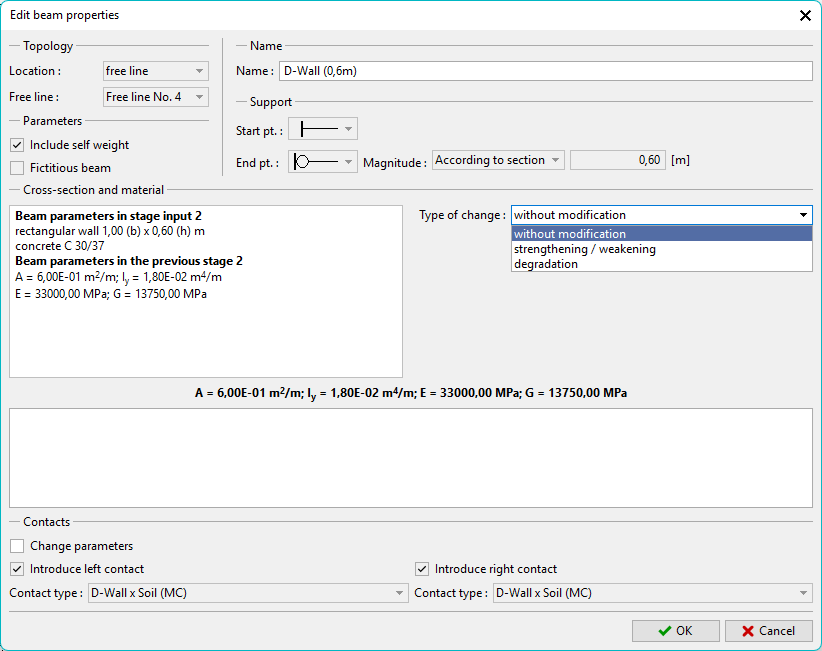 Cuadro "Ajustar propiedades de la viga" - refuerzo de la viga